JavaScript
TypeScript
Python
See
examples for a better idea on how to wire things up
The server sends data about the state of the game each tick via a websocket connection.
The client then consumes this data with a rendering engine that draws it onto the html canvas.
Websocket stream
~1–2 ticks behind 'real-time'
Pre-processed data directly from the server
incoming = {
Key
Description
Type
t
current tick - e.g. ‘7’
number
p1
[ [ id, position, size, energy, hp ], [...], ... ] – arrays of player 1 cats data
array
p2
arrays of array of player 2 cats (same structure as p1)
array
e
pew data – [ [ origin id, target id, beam strength ], [ ... ], ... ]
array
}
Processed data
~2–3 ticks behind 'real-time'
Processed data that are drawn onto the canvas
game_blocks[active_block] = {

‘t’ + tick
Key
Description
Type
p1[cat_id]
[
[ new pos. x, new pos. y, direction x, direction y, prev pos. x, prev pos. y ],
size,
energy,
hp,
prev size,
prev energy
]
array
p2[cat_id]
same structure as p1
array
e
same structure as websocket data (table above)
array
Game objects
Client-side objects that are mirroring the actual game objects. Except that their values are render-time, not real-time.
Variable
Value
Type
cats
Object with all cat objects. Access by their ids (e.g. cats[‘jane_6’]
)
object
living_cats
Array with all cat objects. (contrary to the name... even the dead ones)
array
barricades
All barricade objects in this order – [ barricade_a, barricade_b, barricade_c, barricade_d ]
array
Other useful variables
Variable
Value
Type
players
player1:
username,
player2:
username
object
colors
color1:
rgb color,
color2:
rgb color
object
tick_local
tick that’s being currently rendered
number
Drawing on the canvas
Add a function into the
module_draw
object to have it picked up by the rendering queue —
see diagram and the
second example
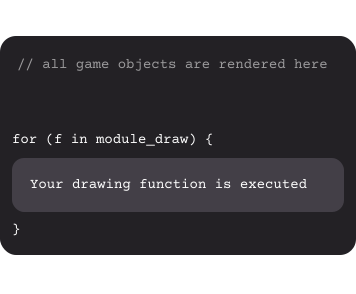
module_draw
scale
multiplier
offsetX, offsetY
main_canvas
base_canvas
store your drawing function here! See example 2
current zoom level – value between 0.5–2
1 / scale
by how much are the canvas coordinates offset relative to the game board coordinates
contains only static barricades (unfortunate name). Context for it is c_base
all other game objects. Context for it is c
Examples
1. Explode cat on click (triangles only)
2. Show direction line in front of your cats
-->